
Standards
What Does WCAG 2.2 AA Mean in an Accessibility Audit?
A practical guide to what WCAG 2.2 AA means in an accessibility audit, including scope, Level A and AA criteria, evidence, remediation, and retesting.
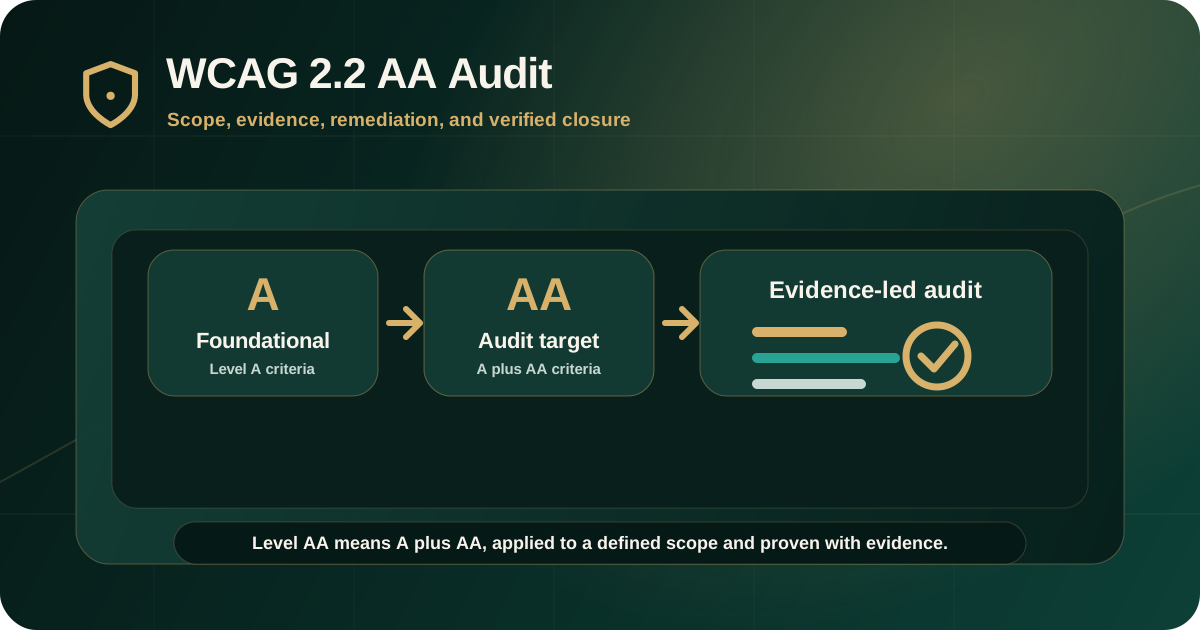
Quick answer: what does WCAG 2.2 AA mean?
WCAG 2.2 AA means that the audited scope is evaluated against all applicable Level A and Level AA success criteria in Web Content Accessibility Guidelines 2.2.
In an accessibility audit, this usually means testing whether users can perceive content, operate controls, understand information and errors, and use the product reliably with browsers and assistive technologies. The audit report should show scope, evidence, failures, remediation guidance, and retest expectations.
What AA means in the official WCAG structure
WCAG 2.2 success criteria are grouped into A, AA, and AAA levels. W3C explains that Level AA conformance requires satisfying all Level A and Level AA success criteria for the scoped page, or providing a Level AA conforming alternate version.
For audit buyers, this means AA is not a single checklist item. It is a defined target that includes both foundational Level A requirements and additional Level AA requirements.
- Level A is the minimum conformance level.
- Level AA includes both Level A and Level AA success criteria.
- Level AAA includes A, AA, and AAA, but W3C does not recommend requiring AAA as a general policy for entire sites.
- Audit severity labels such as critical, high, medium, and low are separate from WCAG levels.
- The audit scope must define which pages, workflows, documents, components, and platforms are being evaluated.
Why WCAG 2.2 matters
WCAG 2.2 extends WCAG 2.1 and does not deprecate WCAG 2.0 or WCAG 2.1. W3C advises using WCAG 2.2 to maximize the future applicability of accessibility work.
For modern products, WCAG 2.2 is useful because it addresses interaction patterns that appear frequently in current websites and applications, including focus visibility, dragging, target size, redundant entry, and accessible authentication.
- Focus Not Obscured helps ensure keyboard focus is not hidden behind sticky headers, overlays, or other authored content.
- Dragging Movements requires alternatives where functionality depends on dragging.
- Target Size helps reduce pointer input barriers for small controls.
- Redundant Entry reduces repeated data entry in the same process.
- Accessible Authentication reduces barriers caused by memory or puzzle-based authentication steps.
What WCAG 2.2 AA does not mean
WCAG 2.2 AA does not automatically mean every possible accessibility need is solved. The WCAG 2.2 abstract explains that following the guidelines makes content more accessible to a wide range of people with disabilities, but does not address every user need.
AA also does not mean an entire website is covered unless the audit scope says so. A limited audit, sampled review, or single-journey assessment should not be described as full-site conformance.
- It does not mean automated tools are enough.
- It does not mean every AAA requirement has been tested.
- It does not mean excluded pages, apps, documents, or third-party systems were reviewed.
- It does not mean a fix is complete until retesting verifies the original barrier.
- It does not support broad compliance language unless scope, methodology, and evidence support the claim.
Scope is critical in a WCAG 2.2 AA audit
WCAG conformance is scoped. W3C's conformance section discusses full pages and complete processes, which matters when teams audit checkout, onboarding, search, account access, investor journeys, support flows, or document downloads.
An audit report should make scope clear before listing findings. Without scope, stakeholders cannot know whether the audit supports a product decision, regulatory submission, procurement review, or remediation plan.
- Public pages, authenticated pages, apps, portals, forms, documents, and reusable components in scope.
- User roles, credentials, test data, and workflow states tested.
- Devices, browsers, operating systems, assistive technologies, and viewport conditions used.
- Third-party tools, embedded services, documents, and excluded areas.
- Whether the audit is full coverage, representative sampling, journey-based, component-based, document-based, or retest-only.
What auditors usually test for WCAG 2.2 AA
A WCAG 2.2 AA audit should combine automated scanning with manual expert review. Automated tools help identify some issues, but manual testing is needed for keyboard use, screen reader output, focus management, dynamic states, documents, and task completion.
The strongest audits focus on real journeys, not only isolated page snapshots.
- Keyboard access, focus order, focus visibility, focus not obscured, and keyboard traps.
- Screen reader names, roles, states, values, reading order, status messages, and announcements.
- Form labels, instructions, validation, error identification, error suggestion, and redundant entry.
- Color contrast, non-text contrast, resize, reflow, text spacing, and content on hover or focus.
- Alternative text, headings, landmarks, link purpose, page titles, and semantic structure.
- Dragging alternatives, target size, pointer gestures, authentication, media alternatives, PDFs, and documents where in scope.
What evidence should appear in the report
A WCAG 2.2 AA report should provide enough evidence for teams to reproduce, prioritize, remediate, and retest each issue. A scan export alone is not enough for serious accessibility remediation.
The evidence should match the issue type. Visual issues need visual evidence. Keyboard issues need keyboard paths. Screen reader issues need assistive technology observations. Document issues need file-level structure evidence.
- Finding ID, affected URL, screen, component, document, or workflow.
- WCAG 2.2 success criterion, level, and explanation of how the issue maps to it.
- Severity, user impact, expected behavior, and actual observed behavior.
- Screenshot, recording, selector, keyboard path, screen reader note, or document evidence where useful.
- Recommended remediation direction and retest expectation.
How remediation should be planned
A WCAG 2.2 AA audit should lead into a remediation plan. Findings should be grouped by severity, user journey, reusable component, document type, and responsible owner.
Remediation should focus on the accessible outcome, not only the technical symptom. For example, a modal issue is not only an ARIA issue; it may require focus management, keyboard behavior, screen reader announcements, and design approval.
- Assign owners across product, design, engineering, QA, content, documents, and vendors.
- Prioritize critical and high barriers in core journeys.
- Fix reusable components at the source pattern where possible.
- Define acceptance criteria using expected accessible behavior.
- Retest manually where the original issue required manual evidence.
How retesting should work
Retesting verifies whether the original WCAG 2.2 AA findings were fixed. It should connect each retested item back to the original finding ID and document the result.
A fix should not be treated as closed simply because a ticket was marked done. Closure needs evidence that the original barrier no longer occurs in the tested scope.
- Original finding ID and tested environment.
- Retest date, browser, device, assistive technology, document version, or app build where relevant.
- Status such as fixed, partially fixed, not fixed, deferred, unable to verify, or out of scope.
- Evidence of corrected behavior.
- Remaining risk and next recommended action.
Common misunderstandings about WCAG 2.2 AA
Many audit problems begin before testing starts because stakeholders use WCAG 2.2 AA language without defining what it means operationally.
The target should be written into the scope, methodology, report structure, remediation plan, and retest process.
- Assuming AA means only Level AA criteria, instead of A plus AA.
- Assuming a homepage scan is enough to represent a full website or web app.
- Assuming WCAG 2.2 AA includes all AAA criteria.
- Assuming a visual redesign automatically satisfies WCAG.
- Assuming a vendor statement is enough without audit evidence.
- Assuming remediation is complete without retesting.
What buyers should ask before a WCAG 2.2 AA audit
Before starting the audit, buyers should confirm exactly how WCAG 2.2 AA will be applied. This avoids weak scope, unclear evidence, and disputes during remediation.
The goal is a report that helps both governance and delivery teams.
- Which pages, workflows, documents, components, and user roles are in scope?
- Will the audit include manual keyboard and screen reader testing?
- How will WCAG 2.2 AA findings be mapped, evidenced, and prioritized?
- How will new WCAG 2.2 criteria be handled?
- Will the report include remediation guidance and retest expectations?
- Will the retest report verify closure against the original findings?
Practical recommendation
Use WCAG 2.2 AA as a clear audit target, but define it carefully. The scope should name the pages, journeys, documents, components, user roles, standards target, testing method, evidence expectations, severity model, and retest process.
A strong WCAG 2.2 AA audit should help teams understand barriers, prioritize remediation, fix the right things, and verify closure with evidence.
Official references used
W3C WCAG 2.2 Recommendation: https://www.w3.org/TR/WCAG22/
W3C WCAG 2.2 Conformance Requirements: https://www.w3.org/TR/WCAG22/#conformance
W3C WCAG Overview: https://www.w3.org/WAI/standards-guidelines/wcag/
W3C How to Meet WCAG 2.2 Quick Reference: https://www.w3.org/WAI/WCAG22/quickref/
W3C Evaluating Web Accessibility Overview: https://www.w3.org/WAI/test-evaluate/