
Remediation
Accessibility Remediation Plan Template: What Teams Should Track
A practical guide to accessibility remediation plans, explaining what teams should track after an audit to manage fixes, evidence, retesting, and closure.
Quick answer: what should an accessibility remediation plan track?
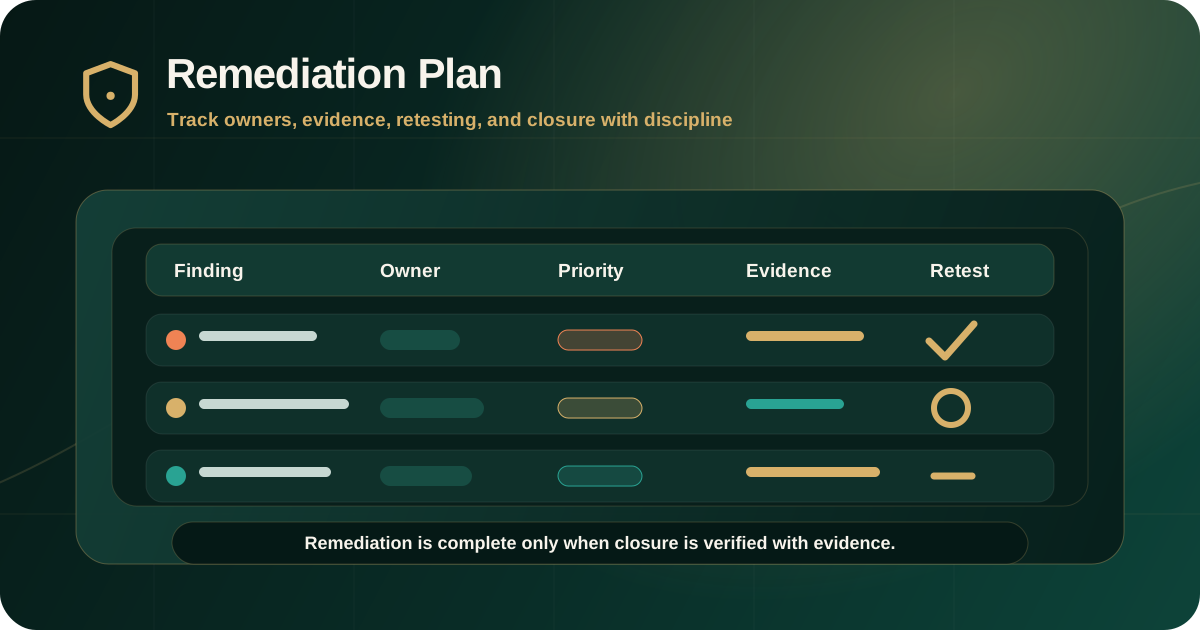
An accessibility remediation plan should track the finding ID, affected page or component, severity, user impact, WCAG or standards mapping, owner, remediation action, target date, dependency, evidence required, retest status, and closure decision.
The plan is the working bridge between an accessibility audit report and a retest report. It helps teams move from identified barriers to assigned fixes, verified outcomes, and documented risk decisions.
Why a remediation plan is needed after an audit
An audit report identifies barriers and provides evidence. A remediation plan turns those findings into managed work. Without that plan, issues can remain unclear, unassigned, duplicated, delayed, or closed without proof.
W3C/WAI guidance on planning and managing accessibility emphasizes assigning responsibilities, prioritizing issues, tracking progress, communicating status, and evaluating regularly. Those ideas should shape the remediation workflow after an audit.
- Leadership needs a clear view of risk and progress.
- Product teams need release and journey priority.
- Design teams need pattern and component decisions.
- Engineering teams need reproducible implementation tasks.
- QA teams need acceptance criteria and retest steps.
- Compliance teams need evidence and closure status.
Start from audit findings, not vague tasks
A remediation plan should not start with generic tasks such as improve accessibility or fix WCAG issues. It should start from the exact findings in the audit report.
Each remediation item should preserve the original finding ID so the team can trace the issue from audit evidence to implementation and retest evidence.
- Original finding ID from the audit report.
- Finding title written in plain language.
- Affected URL, screen, workflow, document, or component.
- Observed issue and expected accessible behavior.
- Related screenshot, recording, selector, keyboard path, screen reader note, or document evidence.
- Current status such as open, in progress, blocked, ready for retest, fixed, deferred, or accepted risk.
Core fields every remediation tracker should include
The tracker should contain enough information for delivery and governance teams to use the same source of truth. It does not need to be complex, but it must be specific.
The most useful fields are the ones that make ownership, priority, evidence, and closure unambiguous.
- Finding ID and short title.
- Severity and priority.
- Affected user group and user impact.
- WCAG success criterion or applicable standard mapping.
- Affected page, workflow, document, component, or template.
- Responsible owner and supporting teams.
- Recommended remediation action.
- Target date and release milestone.
- Dependencies, blockers, and third-party constraints.
- Retest requirement and closure evidence.
Track ownership by workstream
Accessibility fixes often cross team boundaries. A keyboard trap may need engineering, but the desired behavior may need design approval. A PDF issue may sit with document operations. A repeated label issue may need content and component changes.
Assigning only one generic owner can hide the real dependency. A better plan identifies the primary owner and the supporting workstream.
- Design owner for interaction pattern, focus state, contrast, layout, and component decisions.
- Engineering owner for semantic markup, keyboard behavior, state management, ARIA, validation, and dynamic updates.
- Content owner for headings, link purpose, instructions, error text, labels, and alternative text.
- Document owner for PDF tags, reading order, tables, forms, metadata, and source-file remediation.
- Vendor owner for third-party widgets, hosted flows, embedded tools, or platform limitations.
- QA owner for regression checks and retest evidence.
Use severity to set priority, not to create panic
Severity should help teams make decisions. Critical and high issues usually need earlier action because they block or seriously disrupt important tasks. Medium and low findings may be grouped into component, content, document, or backlog workstreams.
A remediation plan should make the relationship between severity and priority explicit. Some medium issues may deserve faster action if they affect a high-value journey or repeat across a design system.
- Critical: assign immediately and retest manually after the fix.
- High: prioritize in the next remediation cycle or release window.
- Medium: group by journey, template, component, or document type.
- Low: resolve through quality, backlog, or pattern cleanup where appropriate.
- Advisory: track as improvement, risk-reduction, or future-state work.
Define remediation action and acceptance criteria
The remediation action should explain the expected accessible outcome. It should not be a vague instruction such as fix accessibility. Teams need to know what behavior must change.
Acceptance criteria should describe how the fix will be judged during QA and retesting.
- What should the user be able to perceive, operate, understand, or complete?
- What semantic, keyboard, focus, content, or document behavior must change?
- Which WCAG or standards-mapped requirement should be satisfied?
- Which browsers, devices, states, or assistive technologies need retesting?
- What evidence will prove the issue is fixed?
Track evidence required for retesting
A remediation plan should define the evidence needed to close each issue. This prevents teams from treating a code merge, content edit, or vendor response as verified accessibility closure.
Retest evidence should connect back to the original finding and show whether the barrier was fixed, partially fixed, not fixed, deferred, unable to verify, or out of scope.
- Updated screenshot for visual or contrast issues.
- Keyboard path for focus order, keyboard trap, menu, modal, and form issues.
- Screen reader note for name, role, state, value, reading order, and status message issues.
- Document version and structure check for PDF remediation.
- URL, build, release, or environment where the fix was tested.
- Retest result, retest date, and remaining risk.
Separate one-time fixes from recurring pattern fixes
Some findings affect one page. Others come from a shared component, CMS template, document production workflow, design-system pattern, or third-party dependency. The remediation plan should separate those cases.
Fixing a recurring pattern at the source can close many downstream issues and reduce future audit findings.
- Single-page issue: fix the specific affected page or asset.
- Template issue: fix the template and retest representative pages.
- Component issue: fix the shared component and retest all important states.
- Design-system issue: update pattern guidance and acceptance criteria.
- Document workflow issue: fix the source process, not only the exported PDF.
- Vendor issue: track dependency, workaround, risk, and escalation route.
Report progress in a way leadership can understand
A remediation plan should support governance reporting without forcing leadership to read every technical finding. Summaries should show risk movement, blockers, ownership, and verified closure.
Progress reporting should distinguish between assigned, fixed by team, ready for retest, and verified fixed. Those are different states.
- Open findings by severity.
- Critical and high findings by owner.
- Issues fixed but not yet retested.
- Verified closures with evidence.
- Blocked items and required decisions.
- Deferred issues and accepted risk.
Common remediation planning mistakes
Remediation plans fail when they remove the evidence trail from the original audit or reduce findings to vague backlog tickets. That makes governance weaker and makes retesting harder.
The plan should preserve enough detail to keep delivery teams aligned and compliance teams informed.
- Losing the original audit finding ID.
- Tracking only status without owner, evidence, or target date.
- Treating automated fixes as verified closure without manual retesting.
- Assigning all items to engineering when design, content, documents, or vendors also own part of the fix.
- Closing findings without documenting retest result and remaining risk.
- Ignoring recurring component or document workflow patterns.
Practical remediation plan template summary
A practical accessibility remediation tracker should include these fields: finding ID, title, severity, priority, affected asset, user impact, WCAG mapping, owner, workstream, remediation action, acceptance criteria, dependency, target date, evidence required, retest result, closure status, and remaining risk.
That structure keeps remediation grounded in evidence. It also helps teams prove progress after the audit rather than only saying that issues were fixed.
Official references used
W3C Planning and Managing Web Accessibility: https://www.w3.org/WAI/planning-and-managing/
W3C Evaluating Web Accessibility Overview: https://www.w3.org/WAI/test-evaluate/
W3C WCAG-EM Overview: https://www.w3.org/WAI/test-evaluate/conformance/wcag-em/
W3C WCAG Overview: https://www.w3.org/WAI/standards-guidelines/wcag/