
Reporting
How to Read an Accessibility Audit Report
A practical guide for compliance, product, design, engineering, QA, and leadership teams reading accessibility audit reports and turning findings into action.
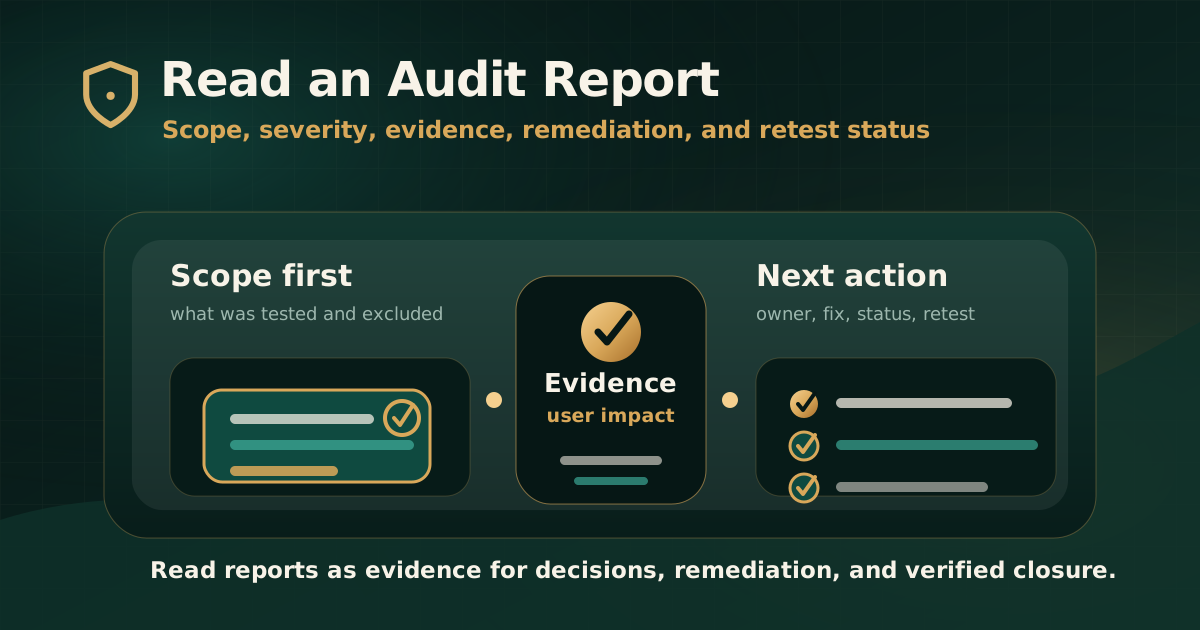
Quick answer: how should you read an accessibility audit report?
Read an accessibility audit report in this order: scope, standards, methodology, executive summary, severity model, issue evidence, user impact, WCAG mapping, remediation guidance, and retest status. This sequence helps you understand what was tested, what failed, how serious the issue is, and what must happen next.
A serious report is not only a list of defects. It is a standards-mapped evidence record that should help leadership understand risk and help delivery teams reproduce, fix, and verify accessibility barriers.
Step 1: start with scope before issue count
Do not judge a report by the number of findings before understanding what was tested. A report with fewer findings may still carry high risk if the scope excluded authenticated journeys, forms, mobile states, documents, or critical workflows.
The scope tells you whether the report can support your business, regulatory, procurement, or product-readiness decision.
- Which websites, apps, portals, pages, documents, and workflows were tested?
- Were login, search, payment, forms, dashboards, account management, downloads, and support journeys included where relevant?
- Which user roles, test accounts, devices, browsers, and assistive technologies were used?
- Which standards and versions were in scope, such as WCAG 2.1 AA, WCAG 2.2 AA, GIGW, IS 17802, Section 508, or EN 301 549?
- What exclusions, limitations, third-party systems, or access constraints were documented?
Step 2: understand the methodology
W3C explains that accessibility evaluation is also called assessment, audit, and testing, and that no tool alone can determine whether a site meets accessibility standards. A report should therefore explain how automated tools and knowledgeable human evaluation were combined.
Methodology matters because it tells you how reliable the findings are and whether the audit reached the parts of the product that carry real user impact.
- Automated scanning tools used and what they were used for.
- Manual keyboard, screen reader, forms, focus, content, media, and document checks performed.
- Sample selection logic for pages, templates, components, and journeys.
- Testing environment, browser, device, operating system, and assistive technology context.
- How duplicate findings, reusable component issues, and known limitations were handled.
Step 3: read severity as user impact, not decoration
Severity should help teams decide what to fix first. It should not be treated as a visual label or an arbitrary score.
A useful severity model considers how much the issue blocks users, which journey is affected, how common the component is, whether there is a workaround, and whether the issue creates compliance, procurement, customer-service, or operational risk.
- Critical issues usually block important tasks or create severe exclusion.
- High issues create serious barriers in important workflows.
- Medium issues create meaningful friction, confusion, or partial exclusion.
- Low issues may not block the task but still need remediation.
- Severity should be reviewed together with journey importance and user impact.
Step 4: check whether findings are reproducible
A strong finding should let your team reproduce the issue without guessing. If the finding does not include the affected location, steps, actual behavior, expected behavior, and evidence, remediation will be slower.
For complex websites and web apps, reproducibility is especially important because issues may appear only in a specific role, browser, component state, screen size, form error, or assistive technology combination.
- Finding title written in plain language.
- Affected URL, page, app screen, document, component, or workflow.
- Steps to reproduce the barrier.
- Expected accessible behavior and actual observed behavior.
- Screenshot, recording, selector, screen reader note, keyboard path, or document reference where useful.
- Test environment and relevant state, such as modal open, form error, mobile view, or authenticated role.
Step 5: interpret WCAG mapping correctly
WCAG mapping explains which success criterion relates to the finding. It gives teams a recognized standards reference, but the mapping is useful only when connected to the specific user barrier.
Do not read WCAG references as isolated codes. Read them with the finding evidence, user impact, and recommended remediation. One criterion can fail in many different ways across components and journeys.
- Check the WCAG version and conformance target used by the report.
- Confirm whether the finding is Level A, AA, or AAA.
- Review the issue behavior before debating the criterion number.
- Look for standard mapping beyond WCAG only when the scope requires it.
- Avoid broad conformance conclusions if the report scope was limited.
Step 6: separate quick fixes from structural fixes
Not every finding has the same remediation path. Some issues are content updates. Others require design-system changes, component refactoring, document remediation, vendor coordination, or workflow redesign.
Reading the report well means identifying where fixes should happen so teams do not patch symptoms page by page when the root issue lives in a shared pattern.
- Content issues such as headings, link text, labels, instructions, and alternatives.
- Design issues such as focus visibility, contrast, spacing, target size, layout, and error presentation.
- Engineering issues such as semantics, ARIA, keyboard operation, focus management, dynamic updates, and validation.
- Document issues such as PDF tags, reading order, tables, forms, metadata, and alt text.
- Vendor issues such as chat widgets, payment tools, maps, forms, media players, and embedded services.
Step 7: use the executive summary carefully
The executive summary should help leadership understand the overall risk, but it should not replace reading the detailed findings. A report can have a short summary and still contain issues that block important user journeys.
Use the summary to identify themes, severity distribution, top risks, and recommended remediation sequence. Then check whether the detailed evidence supports those conclusions.
- Top barriers and affected journeys.
- Severity distribution and issue themes.
- High-risk components or document patterns.
- Recommended remediation priority.
- Retest need and remaining risk.
- Any limits on what the report can claim.
Step 8: convert findings into a remediation plan
An audit report becomes valuable when findings turn into ownership, tickets, priorities, and verified fixes. The report should help teams decide what to fix first, who owns each issue, and how closure will be proven.
Create a remediation plan that groups issues by severity, journey, component, owner, and release sequence. This prevents teams from treating every finding as an isolated task.
- Prioritize critical and high-impact user blockers first.
- Group repeated component issues so they can be fixed at source.
- Assign owners across design, engineering, QA, content, documents, vendors, and product.
- Add expected behavior and retest criteria to implementation tickets.
- Track deferred items and remaining risk explicitly.
Step 9: check retest status before calling the work complete
A fix is not complete just because a ticket is closed. Retesting should confirm that the original accessibility barrier is removed in the user-facing workflow.
If the report includes retest status, read it carefully. Partial fixes, unable-to-verify items, and deferred issues may still carry risk.
- Fixed means the original barrier was verified as resolved in the tested scope.
- Partially fixed means the issue improved but still fails in some state, journey, or environment.
- Not fixed means the original barrier remains.
- Deferred means the organization chose not to fix the issue in the current cycle.
- Unable to verify means the auditor could not confirm closure because of access, environment, data, deployment, or scope limitations.
Common mistakes when reading audit reports
The most common mistake is reading the issue count as the main risk signal. Issue count matters, but scope, severity, journey impact, and evidence quality matter more.
Another mistake is treating the report as a one-time document instead of a remediation and retest plan. A good report should guide what happens next.
- Ignoring scope and exclusions.
- Comparing issue counts across audits with different scope and methodology.
- Treating automated findings as the full accessibility picture.
- Skipping user impact and reading only WCAG codes.
- Fixing individual pages while ignoring reusable component patterns.
- Not planning retesting before closing remediation work.
Practical recommendation
Read an accessibility audit report as an evidence-led delivery document. First confirm what was tested. Then understand the method, severity, findings, evidence, standards mapping, remediation direction, and retest status.
The strongest reports help stakeholders make decisions and help teams remove barriers. If a report does not explain user impact, reproducible evidence, remediation guidance, and closure status, it may not be strong enough for serious accessibility work.
Official references used
W3C Evaluating Web Accessibility Overview: https://www.w3.org/WAI/test-evaluate/
W3C WCAG-EM Overview: https://www.w3.org/WAI/test-evaluate/conformance/wcag-em/
W3C WCAG Overview: https://www.w3.org/WAI/standards-guidelines/wcag/
W3C Web Accessibility Evaluation Tools List: https://www.w3.org/WAI/test-evaluate/tools/list/