
Reporting
Accessibility Audit Report Format for Websites and Web Apps
A practical guide to the accessibility audit report format buyers should expect for websites and web apps, including scope, methodology, findings, evidence, remediation, and retesting.
Quick answer: what should an accessibility audit report include?
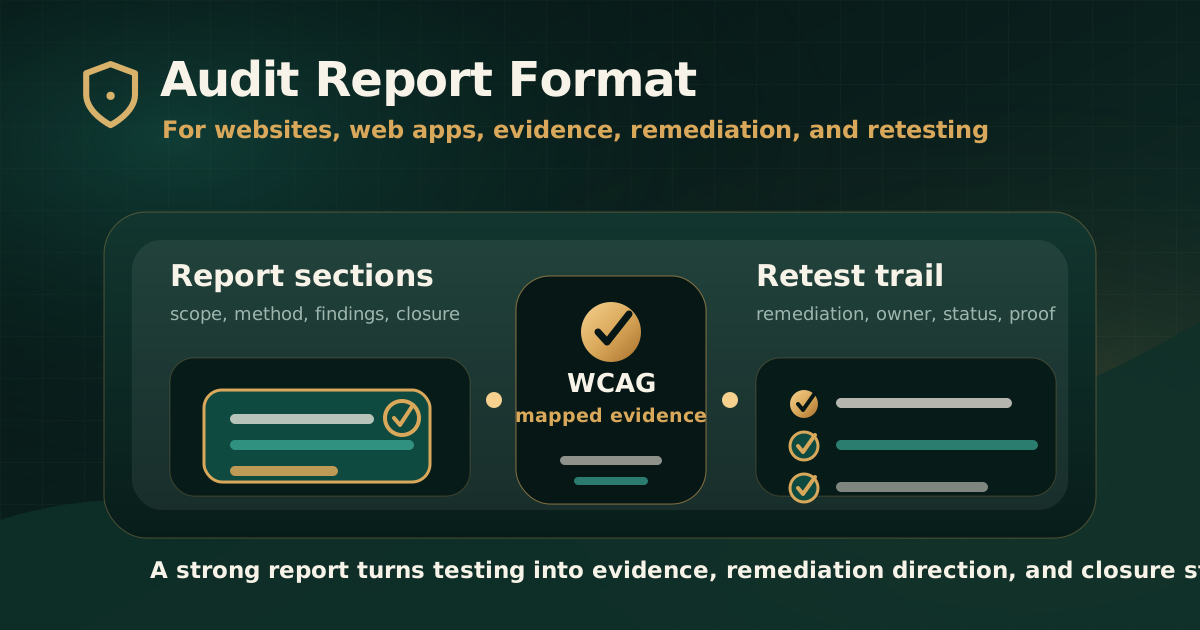
An accessibility audit report for websites and web apps should include executive summary, scope, standards, methodology, tested environments, findings, user impact, severity, WCAG mapping, evidence, remediation guidance, ownership context, and retest status.
The report should be useful to two audiences at the same time. Leadership and compliance teams need risk, scope, and readiness. Product, design, engineering, QA, content, and document teams need reproducible findings that they can fix and verify.
Why report format matters
W3C explains that accessibility evaluation is also called assessment, audit, and testing. It also explains that no tool alone can determine whether a site meets accessibility standards and that knowledgeable human evaluation is required.
This matters because a report format that only exports automated tool findings is incomplete for serious review. A useful report should turn testing into evidence, decisions, remediation tasks, and closure tracking.
- A good format prevents vague findings.
- It helps teams reproduce issues quickly.
- It makes standards mapping clear for governance and procurement review.
- It separates executive risk from implementation detail.
- It creates a traceable path from finding to fix to retest.
Section 1: executive summary
The executive summary should give decision-makers a clear view of audit scope, overall risk, major blockers, severity distribution, and recommended next steps.
This section should not exaggerate conformance. It should reflect what was actually tested and what the evidence supports.
- Audit objective and target standard.
- Assets and journeys reviewed.
- Overall risk summary.
- Top barriers affecting users.
- Severity distribution and issue count.
- Recommended remediation priority.
- Retest recommendation and remaining risk.
Section 2: scope, standards, and exclusions
Scope is one of the most important parts of the report. It explains what the audit covered and what it did not cover.
For websites and web apps, scope should include more than URLs. It should identify roles, workflows, components, documents, states, and environments that were reviewed.
- Website, web app, subdomain, portal, or product area tested.
- Representative journeys such as login, search, checkout, forms, dashboards, account management, and support.
- User roles, credentials, test data, and authenticated workflows in scope.
- Documents, PDFs, media, and downloadable files included or excluded.
- Target standard such as WCAG 2.1 AA, WCAG 2.2 AA, GIGW, IS 17802, Section 508, or EN 301 549.
- Known exclusions, constraints, third-party systems, and areas not tested.
Section 3: methodology and test environment
A credible report should explain how testing was performed. WCAG-EM provides a structured approach for evaluating web accessibility, including defining scope, exploring the target, selecting samples, auditing, and reporting.
Even when a project is not making a formal conformance claim, methodology should still be transparent enough that stakeholders understand the audit basis.
- Automated tools used and their role in the audit.
- Manual checks performed, including keyboard and screen reader review where applicable.
- Browsers, operating systems, devices, screen sizes, and assistive technologies used.
- Sample selection logic for pages, journeys, templates, and components.
- How duplicate or component-level issues were grouped.
- Limitations caused by access, test data, time, environment, or third-party systems.
Section 4: finding structure
Each finding should be specific enough for a delivery team to reproduce and fix. A line that says failed WCAG is not enough.
The strongest reports use a consistent finding format across all issues so teams can compare severity, assign owners, and track remediation.
- Issue title written in plain language.
- Affected page, screen, component, document, or workflow.
- Observed behavior and expected accessible behavior.
- User impact and affected user groups.
- Mapped WCAG criterion or applicable standard reference.
- Severity and priority rationale.
- Evidence such as screenshot, recording, steps, selector, device note, or assistive technology observation.
- Recommended remediation and retest criteria.
Section 5: severity and prioritization
Severity should help teams decide what to fix first. It should not be a decorative label.
For accessibility audits, severity works best when it considers user impact, task criticality, frequency, workaround availability, legal or procurement exposure, and remediation urgency.
- Critical issues block essential tasks or prevent access to key functionality.
- High issues create serious barriers in important journeys.
- Medium issues create meaningful friction, confusion, or partial exclusion.
- Low issues should still be fixed but may not block task completion.
- Severity should be explained enough that teams can defend prioritization decisions.
Section 6: remediation guidance
A useful report does not only identify failures. It explains the expected accessible outcome and gives practical direction for remediation.
Guidance should be specific enough to help design, engineering, QA, content, or document teams act without turning the report into a generic WCAG checklist.
- Explain what should change and why.
- Identify whether the fix belongs to design, code, content, document remediation, or a third-party vendor.
- Prefer native HTML patterns where appropriate before adding ARIA.
- Clarify expected keyboard, screen reader, focus, error, and status behavior.
- Flag reusable component issues so teams can fix the pattern at source.
Section 7: retest and closure status
The report format should support the full remediation lifecycle. Initial findings are useful, but retest evidence is what closes the loop.
Retesting confirms whether the barrier was removed, whether the fix works in the user journey, and whether any remaining risk should be documented.
- Original finding ID and affected asset.
- Remediation note or owner update.
- Retest date and tested environment.
- Retest result such as fixed, partially fixed, not fixed, deferred, unable to verify, or out of scope.
- Closure evidence such as screenshot, recording, screen reader note, URL, document version, or test note.
- Remaining risk and recommended next action.
Common signs of a weak report format
A polished PDF can still be weak if it does not help teams reproduce, prioritize, remediate, and retest findings.
Buyers should evaluate sample report structure before purchasing an audit, especially for web apps, authenticated workflows, or compliance-sensitive products.
- Only automated scan output with no manual review context.
- No clear scope, exclusions, standards, or environment details.
- Findings without user impact or expected behavior.
- No screenshots, steps, assistive technology notes, or reproducible evidence.
- Severity labels without rationale.
- No remediation guidance or retest path.
Practical recommendation
For websites and web apps, ask for a report format that supports both governance and delivery. The report should show what was tested, what failed, why it matters, how to fix it, and how closure will be verified.
A serious accessibility audit report is not just an issue list. It is a standards-mapped evidence record that helps teams move from discovery to remediation to retest.
Official references used
W3C Evaluating Web Accessibility Overview: https://www.w3.org/WAI/test-evaluate/
W3C WCAG-EM Overview: https://www.w3.org/WAI/test-evaluate/conformance/wcag-em/
W3C WCAG Overview: https://www.w3.org/WAI/standards-guidelines/wcag/
W3C Web Accessibility Evaluation Tools List: https://www.w3.org/WAI/test-evaluate/tools/list/