
Government Standards
GIGW 3.0 Accessibility Requirements Explained
A practical guide to GIGW 3.0 accessibility requirements for Indian government websites and apps, covering WCAG 2.1 AA, evidence, audits, remediation, and conformity.
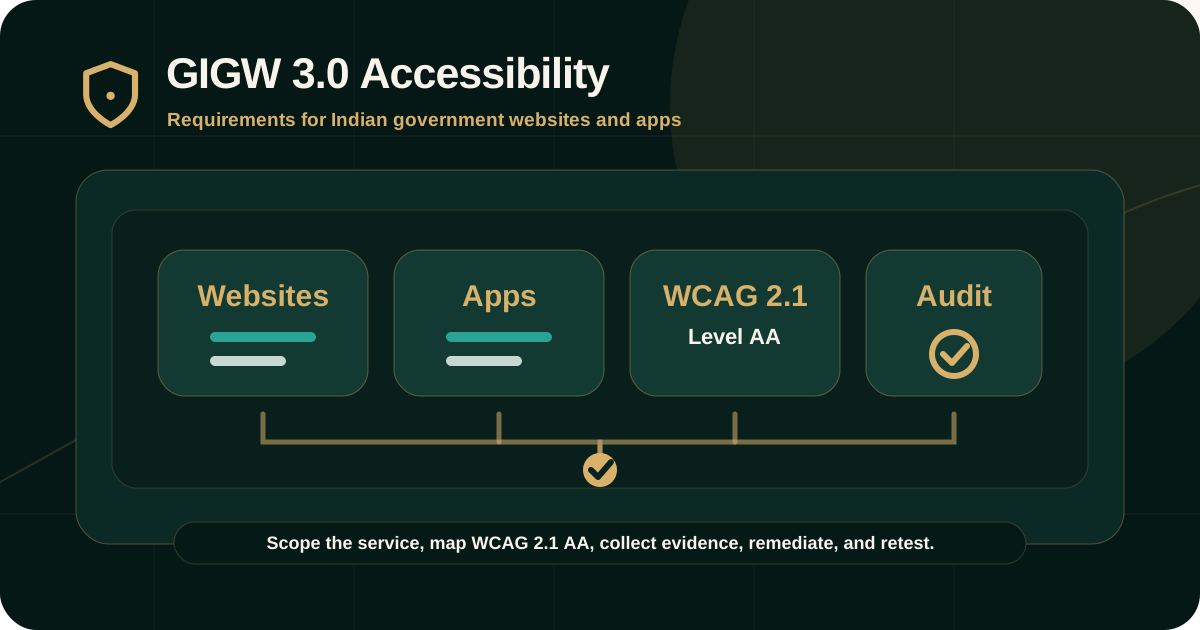
Quick answer: what are GIGW 3.0 accessibility requirements?
GIGW 3.0 accessibility requirements are the accessibility-related parts of the Guidelines for Indian Government Websites and apps. They apply to Indian government websites and applications and are designed to make government digital services more accessible, usable, secure, and consistent.
Official GIGW 3.0 guidance states that the current version ensures conformity with Level AA of WCAG 2.1 and adds requirements from WCAG 2.1 to support users with cognitive or learning disabilities, low vision, and disabilities on mobile devices.
Who should care about GIGW 3.0?
GIGW 3.0 is directly relevant for Indian government organisations at central, state, district, and local levels. It is also relevant for vendors, developers, designers, content teams, document teams, auditors, and programme owners building or maintaining government websites and apps.
The official scope page explains that the guidelines apply to government websites and applications and aim to improve user-centricity, user-friendliness, security, accessibility, consistency, and trust.
- Government departments owning websites or apps.
- Vendors building government digital services.
- Design, engineering, QA, and content teams working on government platforms.
- Web information managers and governance teams.
- Accessibility auditors and evaluators reviewing conformity.
- Teams preparing for STQC or website quality certification workflows.
What changed in GIGW 3.0 for accessibility?
The official GIGW 3.0 new-features page explains that GIGW 2.0 was aligned with WCAG 2.0, while GIGW 3.0 has been upgraded to include WCAG 2.1 requirements. It also states that the current version ensures conformity with WCAG 2.1 Level AA and adds 17 new success criteria.
This matters because modern government services are not only static web pages. They include apps, forms, authentication, dashboards, mobile views, documents, language support, citizen engagement, and integrated public digital infrastructure.
- Websites and apps are addressed together.
- Accessibility is treated as one of the major focus areas.
- WCAG 2.1 Level AA alignment is emphasized.
- Mobile, low-vision, and cognitive accessibility needs receive stronger attention.
- Evaluator action is part of the guideline structure, supporting audit review.
GIGW is broader than accessibility alone
GIGW 3.0 includes multiple focus areas, including quality, accessibility, cybersecurity, and lifecycle management. Accessibility should therefore be treated as part of overall digital governance, not as a disconnected checklist.
A strong accessibility review should still coordinate with content quality, information architecture, security, lifecycle management, ownership, and maintenance processes.
- Quality affects content clarity, navigation, freshness, ownership, and trust.
- Accessibility affects whether people with disabilities can use the website or app.
- Cybersecurity affects safe hosting, risk, and protection of government digital assets.
- Lifecycle management affects how accessibility and quality are maintained after launch.
- The conformity matrix helps teams understand risks linked to non-conformity.
Core accessibility areas teams should prepare for
A GIGW 3.0 accessibility review should evaluate whether citizens can find, perceive, operate, understand, and complete tasks across government websites and apps.
Because GIGW 3.0 aligns with WCAG 2.1 AA, the audit should include manual testing in addition to automated scans.
- Keyboard access, focus order, focus visibility, and keyboard traps.
- Screen reader names, roles, states, values, reading order, and status messages.
- Text alternatives, headings, landmarks, labels, instructions, and link purpose.
- Color contrast, non-text contrast, resize, reflow, text spacing, and responsive behavior.
- Forms, errors, validation, authentication, search, downloads, and service workflows.
- Captions, transcripts, documents, downloadable material, and accessible file information.
- Unicode use, language handling, browser compatibility, and regional-language content where applicable.
How GIGW audit evidence should be collected
A GIGW accessibility audit should produce evidence that can be understood by government owners, developers, content teams, QA teams, and evaluators. Evidence should be specific enough to reproduce and retest the issue.
The official GIGW structure includes evaluator action, which reinforces the need for testing rather than self-declared assumptions.
- Affected URL, app screen, document, form, workflow, component, or template.
- Relevant GIGW requirement and WCAG 2.1 success criterion where applicable.
- Steps to reproduce the issue.
- Expected accessible behavior and actual observed behavior.
- Screenshots, keyboard paths, screen reader notes, recordings, or document checks.
- Severity, user impact, remediation guidance, and retest requirement.
Roles in implementation and evaluation
GIGW 3.0 structures guidelines with government organisation action, developer action, and evaluator action. This is useful because accessibility work often fails when responsibility is unclear.
Government owners, vendors, designers, developers, content teams, QA teams, and evaluators should not treat accessibility as someone else's task. The work must be assigned and verified.
- Government organisation action: ownership, policy, scope, approval, content governance, and implementation planning.
- Developer action: accessible implementation, templates, components, forms, apps, documents, and technical fixes.
- Evaluator action: testing manually or with automated tools to verify conformity with checkpoints.
- Content action: headings, labels, link purpose, instructions, language, downloadable material, and document accessibility.
- QA action: regression checks and retest evidence after remediation.
STQC certification and conformity should be handled carefully
The official scope page states that GIGW forms the basis for obtaining Website Quality Certification from the STQC Directorate. This does not mean every internal review, scan, or partial audit is a certification.
Audit reports should use precise wording. If the engagement is a readiness review, sampled audit, or remediation retest, the report should say that clearly rather than implying full certification.
- Separate audit readiness from formal certification.
- Document scope, exclusions, and limitations.
- Avoid broad conformity claims from limited testing.
- Retain evidence for each finding and closure decision.
- Use the conformity matrix to understand risk and required action.
Remediation and retesting
GIGW accessibility remediation should be tracked from finding to owner to fix to retest. A closed ticket is not the same as verified accessibility closure.
Retesting should confirm that the original barrier was removed in the tested scope and should document remaining risk where an issue is deferred, partially fixed, or unable to verify.
- Assign owners across government teams, vendors, design, engineering, QA, content, and documents.
- Group recurring issues by template, component, CMS workflow, document type, or app pattern.
- Retest keyboard, screen reader, responsive, document, and form issues with the right method.
- Record fixed, partially fixed, not fixed, deferred, unable-to-verify, and out-of-scope statuses.
- Keep the evidence trail connected to the original finding.
Common GIGW accessibility mistakes
Many GIGW readiness problems come from treating accessibility as a design polish task or a one-time scan. GIGW 3.0 requires more structured ownership and evidence.
Teams should treat accessibility as part of the website or app lifecycle.
- Testing only the homepage while ignoring forms, services, documents, apps, and downloads.
- Relying only on automated scan scores.
- Missing manual keyboard and screen reader testing.
- Ignoring language, Unicode, document, and downloadable material requirements.
- Treating partial review as full conformity.
- Closing issues without retest evidence.
Practical recommendation
For GIGW 3.0 accessibility readiness, start with scope. Define the websites, apps, workflows, documents, templates, components, users, standards mapping, and exclusions before the audit begins.
Then collect evidence, assign owners, remediate barriers, retest closure, and keep the evidence trail aligned with the conformity matrix and WCAG 2.1 AA requirements.
Official references used
GIGW 3.0 Scope and Objective: https://guidelines.india.gov.in/scope-and-objective/
GIGW 3.0 New Features: https://guidelines.india.gov.in/new-features-of-gigw-3-0/
GIGW 3.0 Annexure II Matrix to Check Conformity: https://guidelines.india.gov.in/annexure-ii-matrix-to-check-conformity/
GIGW 3.0 Guidelines: https://guidelines.india.gov.in/guidelines/
W3C WCAG Overview: https://www.w3.org/WAI/standards-guidelines/wcag/