
Reporting
Audit Report vs Remediation Report vs Retest Report
A practical guide explaining the difference between accessibility audit reports, remediation reports, and retest reports for compliance and delivery teams.
Quick answer: what is the difference?
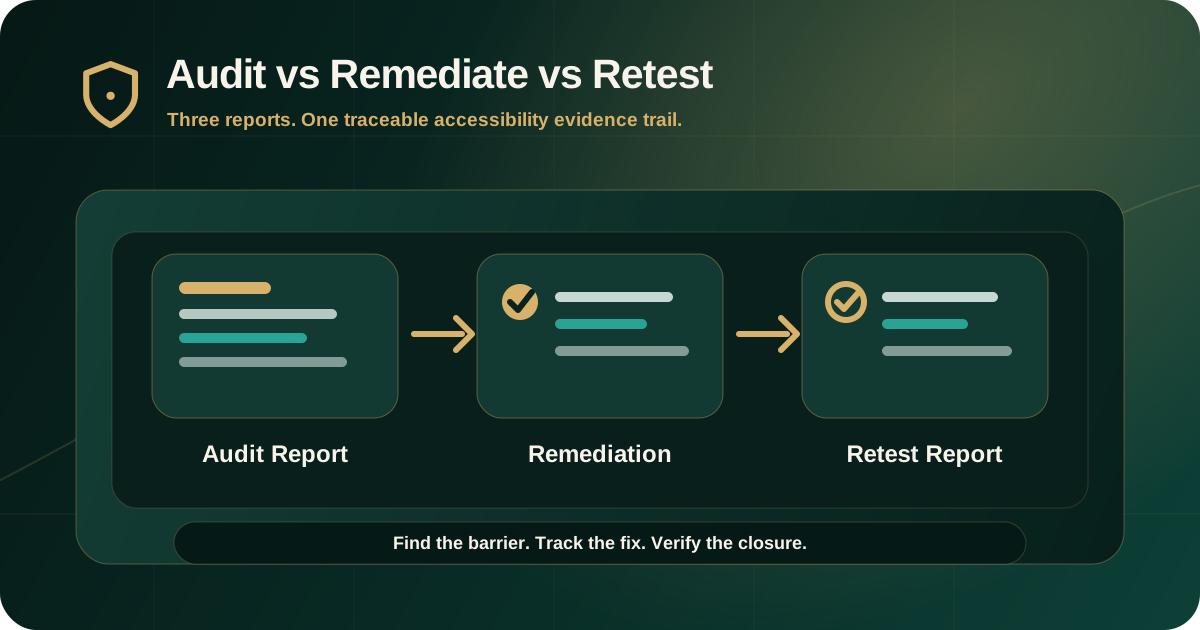
An accessibility audit report explains what was tested, what failed, who was affected, which standard applies, and what evidence supports the finding. A remediation report or remediation plan tracks how those findings are being fixed, who owns the work, and what status or blockers exist. A retest report verifies whether the original findings were fixed after remediation.
The three documents work together. The audit report creates the evidence baseline. The remediation report manages action. The retest report confirms closure or explains remaining risk.
Why these reports are often confused
The terms audit, remediation, and retest are sometimes used loosely. That creates confusion when leadership, compliance, procurement, product, engineering, QA, document teams, or vendors need to understand what has actually been proven.
The distinction matters because finding an issue, fixing an issue, and verifying that the issue is fixed are three different stages.
- Audit answers: what accessibility barriers exist?
- Remediation answers: what is being changed to remove the barriers?
- Retest answers: did the changes actually remove the original barriers?
- Governance answers: what risk remains open, deferred, or accepted?
- Evidence answers: what proof connects each stage?
What an accessibility audit report should do
An accessibility audit report is the first formal evidence document. It should explain the scope, standards, methodology, test environment, findings, severity, user impact, evidence, and remediation guidance.
W3C/WAI describes accessibility evaluation as assessment, audit, and testing. It also explains that automated tools help, but tools alone cannot determine whether a site meets accessibility standards. That is why a serious audit report should include both automated signals and expert manual review evidence.
- Scope of websites, apps, workflows, documents, components, or platforms tested.
- Target standard such as WCAG 2.1 AA, WCAG 2.2 AA, GIGW, IS 17802, Section 508, or EN 301 549 where applicable.
- Testing methodology and environment.
- Finding ID, affected location, severity, and user impact.
- Evidence such as screenshots, keyboard paths, screen reader notes, recordings, or document structure observations.
- Expected accessible behavior and remediation direction.
What a remediation report or plan should do
A remediation report or remediation plan tracks what happens after the audit. It should not replace the audit evidence. It should preserve the finding IDs and connect each issue to an owner, corrective action, dependency, timeline, and status.
In some organizations this is a live tracker. In others it becomes a formal progress report. Either way, its purpose is to make corrective work accountable.
- Original finding ID and title.
- Assigned owner and supporting workstream.
- Remediation action and expected accessible outcome.
- Target date, release milestone, dependency, and blocker.
- Current status such as open, in progress, blocked, ready for retest, deferred, or accepted risk.
- Evidence needed before retesting can confirm closure.
What an accessibility retest report should do
A retest report verifies whether remediation actually fixed the original accessibility barriers. It should not simply repeat the audit report or summarize that fixes were completed.
A useful retest report connects each retested item back to the original finding and documents whether the issue is fixed, partially fixed, not fixed, deferred, unable to verify, or out of scope.
- Original finding reference.
- Remediation note or change context.
- Retest date, environment, browser, device, and assistive technology where relevant.
- Retest result and closure status.
- Evidence of corrected behavior.
- Remaining issue, limitation, or residual risk where applicable.
How the evidence trail should connect
The strongest reporting workflow keeps one traceable line from audit discovery to remediation action to retest closure. If the finding ID changes or evidence is lost, teams may struggle to prove whether the original barrier was fixed.
Each stage should reuse the same reference structure so compliance and delivery teams can follow the record without translation.
- Audit report: issue found and supported with evidence.
- Remediation report: issue assigned and corrective action tracked.
- Retest report: corrective action verified against the original issue.
- Closure record: final status, evidence, and remaining risk documented.
- Governance summary: progress and blockers reported without losing detail.
What evidence belongs in each report
The evidence type should match the purpose of the report. An audit report needs discovery evidence. A remediation report needs action evidence. A retest report needs verification evidence.
Mixing those evidence types can make reports harder to understand. A remediation statement is not the same as retest proof.
- Audit evidence: screenshot, keyboard path, screen reader note, affected URL, document structure issue, or reproduction steps.
- Remediation evidence: changed component, content update, design-system fix, document version, vendor response, or release note.
- Retest evidence: confirmed behavior after remediation using the relevant browser, device, document, keyboard flow, or assistive technology.
- Risk evidence: deferred item, exception reason, limitation, dependency, or accepted risk decision.
- Closure evidence: final status connected back to the original finding ID.
How teams should use the three reports
Different teams use different parts of the reporting workflow. Leadership and compliance teams need status, severity, evidence, and risk. Product teams need scope, priority, and deadlines. Engineering and QA teams need reproduction steps, expected behavior, implementation context, and retest criteria.
The reporting structure should serve all of those users without weakening the evidence trail.
- Compliance uses the reports to understand scope, standard mapping, progress, and residual risk.
- Product uses the reports to prioritize journeys and release decisions.
- Design uses the reports to correct interaction, layout, focus, and component patterns.
- Engineering uses the reports to implement fixes with clear acceptance criteria.
- QA uses the reports to verify behavior before retest.
- Vendors use the reports to understand responsibilities and evidence expectations.
Common mistakes to avoid
Weak reporting workflows usually fail because they collapse the three stages into one vague status. This can create a false sense of progress and make closure hard to defend.
A good process keeps each report focused on its job.
- Calling a remediation tracker an audit report.
- Calling a ticket closure a retest result.
- Removing the original finding ID from remediation work.
- Submitting screenshots of changed screens without confirming keyboard or screen reader behavior.
- Treating automated scan improvement as full accessibility closure.
- Using broad compliance wording that the evidence does not support.
What buyers should ask before an engagement
Before buying an audit, ask what report types are included and how the evidence trail will be maintained. This avoids confusion after the audit when teams need to remediate and prove progress.
A serious engagement should explain what is included in the initial audit, what support is available during remediation, and how retesting will be reported.
- Will the audit report include scope, methodology, severity, evidence, WCAG mapping, and remediation guidance?
- Will findings have stable IDs that can be tracked through remediation and retesting?
- Will the remediation plan identify owners, target dates, blockers, and evidence requirements?
- Will the retest report document fixed, partially fixed, not fixed, deferred, and unable-to-verify items?
- Will closure evidence be specific to the original barrier?
Practical recommendation
Use the audit report to understand and prove the barriers. Use the remediation report or plan to manage corrective work. Use the retest report to verify whether those corrective actions removed the original accessibility barriers.
For compliance-sensitive products, do not treat remediation claims as closure unless the retest evidence confirms the expected accessible behavior.
Official references used
W3C Evaluating Web Accessibility Overview: https://www.w3.org/WAI/test-evaluate/
W3C Planning and Managing Web Accessibility: https://www.w3.org/WAI/planning-and-managing/
W3C WCAG-EM Overview: https://www.w3.org/WAI/test-evaluate/conformance/wcag-em/
W3C WCAG Overview: https://www.w3.org/WAI/standards-guidelines/wcag/