
Reporting
Accessibility Retest Report: What Should Be Verified After Remediation
A practical guide to accessibility retest reports after remediation, covering original findings, fixed behavior, evidence, status categories, regression checks, and closure notes.
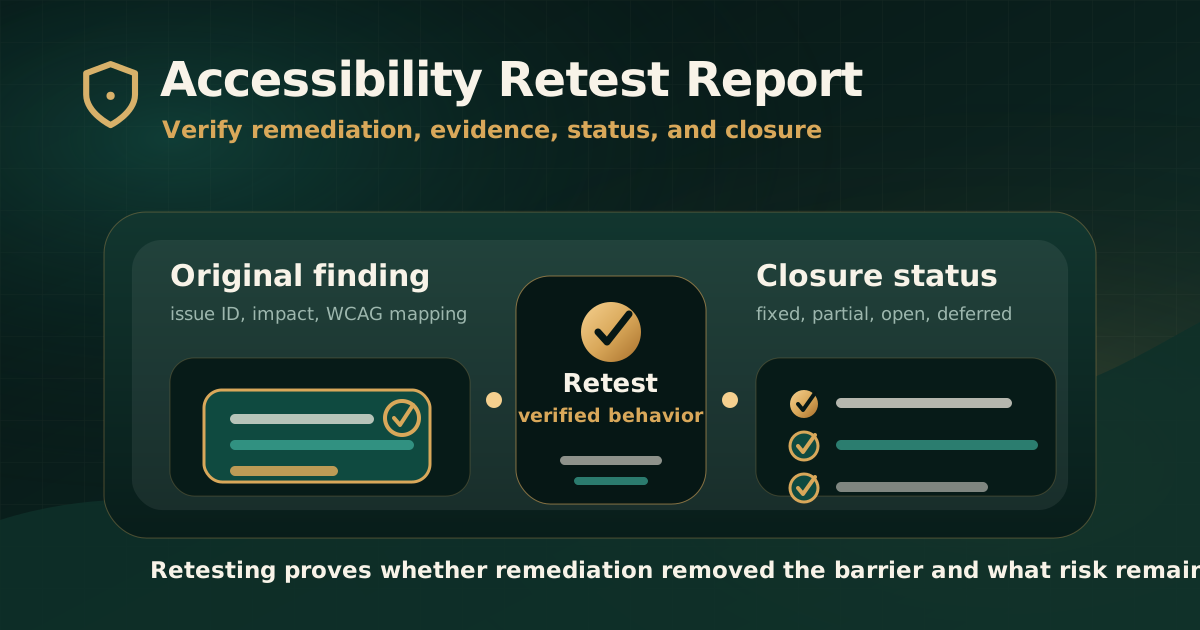
Quick answer: what should an accessibility retest report verify?
An accessibility retest report should verify whether each original finding was fixed in the user experience, not only whether a code change was deployed. It should confirm the retest scope, original issue ID, affected asset, remediation note, tested environment, retest result, closure evidence, and remaining risk.
For WCAG audits, retesting should confirm that the relevant barrier is no longer present and that the user can complete the affected task with the keyboard, screen reader, browser, device, document, or assistive technology context in scope.
Why retesting matters after remediation
Accessibility remediation is not complete just because a ticket is marked done. The fix needs to be verified against the original barrier, expected accessible behavior, and user journey.
W3C notes that accessibility evaluation should happen throughout development and that no tool alone can determine whether a site meets accessibility standards. Retesting applies that same discipline after fixes are implemented.
- Retesting confirms whether the barrier was removed.
- It identifies partial fixes that help one state but fail another.
- It catches regressions created during remediation.
- It gives compliance, product, and delivery teams closure evidence.
- It documents remaining risk when an issue is deferred or not fully resolved.
Section 1: original finding reference
A retest report should connect every retest item back to the original audit finding. Without that link, teams cannot prove what was verified or whether the original issue was addressed.
The retest record should be precise enough that someone outside the remediation team can follow the audit trail.
- Original finding ID or issue number.
- Original finding title.
- Affected page, workflow, component, document, or app screen.
- Mapped WCAG success criterion or applicable standard reference.
- Original severity and user impact.
- Original evidence summary or report reference.
Section 2: remediation note and owner context
The retest report should capture what the team says changed. This does not replace verification, but it helps explain the remediation approach and who owns follow-up work if the issue remains open.
For complex products, remediation can involve design, engineering, content, document remediation, QA, vendors, or platform teams.
- Remediation summary from the responsible team.
- Release version, deployment date, document version, or component update where useful.
- Owner or responsible team.
- Known constraints or scope changes.
- Linked ticket, pull request, change request, or remediation tracker item where available.
Section 3: verify actual accessible behavior
The core of retesting is behavior verification. The tester should repeat the original failure path and confirm whether the expected accessible outcome now works.
A visual change may not fix keyboard operation, screen reader output, form recovery, or document structure. The retest should evaluate the user experience, not only the visible interface.
- Keyboard users can reach, operate, and leave the affected control.
- Focus order and visible focus are logical and not obscured.
- Screen reader output exposes correct name, role, state, value, and instructions.
- Form errors are announced and linked to the relevant fields.
- Dynamic status updates are exposed appropriately.
- The affected workflow can now be completed without the original barrier.
Section 4: retest documents, media, and generated outputs
Retesting should include documents and media when they were part of the original finding. A website fix does not automatically resolve inaccessible PDFs, statements, forms, captions, transcripts, or generated receipts.
Document retesting should verify the remediated file or template version, not only a sample screenshot.
- PDF tags, headings, language, title, links, tables, reading order, and form fields.
- Generated statements, reports, receipts, or notices.
- Captions, transcripts, audio description, and media controls where applicable.
- Download links, file names, and document purpose.
- Document version or generation template used for retesting.
Section 5: status categories in a retest report
Retest status should be specific. A simple pass or fail label can hide important remediation context.
Clear status categories help stakeholders understand what is closed, what still needs work, and what risk remains.
- Fixed: the original barrier is no longer present in the tested scope.
- Partially fixed: the issue is improved but still fails in some states, journeys, devices, or assistive technology contexts.
- Not fixed: the original barrier remains.
- Deferred: the organization chose not to fix the issue in the current cycle.
- Unable to verify: access, environment, data, deployment, or scope limitations prevented retesting.
- Out of scope: the item is no longer part of the agreed retest scope.
Section 6: closure evidence
Closure evidence should show why the retest result is credible. The right evidence depends on the issue type.
For some findings, a screenshot is enough. For keyboard, screen reader, dynamic state, document, or workflow issues, the evidence may need notes, recordings, steps, versions, or assistive technology context.
- Retest date and tested environment.
- Screenshots or short recordings where useful.
- Keyboard path or screen reader observation.
- URL, app version, browser, device, operating system, or assistive technology combination.
- Document version, file name, or template version.
- Remaining risk and next recommended action.
Section 7: regression and component checks
Accessibility fixes can introduce regressions. A retest report should consider whether the fix affects repeated components, responsive states, authenticated workflows, or related pages.
This is especially important for design systems, reusable forms, modals, menus, date pickers, notifications, tables, and document templates.
- Check whether the same component appears elsewhere.
- Review related states such as error, loading, empty, success, disabled, expanded, and collapsed.
- Test responsive breakpoints and zoom where relevant.
- Confirm no new keyboard trap, focus-order issue, or screen reader naming problem was introduced.
- Record whether broader regression testing is recommended.
Common mistakes in retest reports
The most common mistake is treating ticket closure as accessibility closure. The report should verify the user-facing behavior.
Another mistake is retesting only the happy path. Accessibility barriers often remain in error states, edge cases, mobile layouts, documents, or assistive technology output.
- Marking issues fixed without repeating the original failure path.
- Not documenting the environment used for retesting.
- Ignoring partial fixes and state-specific failures.
- Failing to retest documents, generated files, or reusable components.
- Using screenshots only when screen reader or keyboard evidence is needed.
- Not documenting remaining risk or next action.
Practical recommendation
Treat the retest report as the closure layer of the accessibility audit. It should connect each original finding to the remediation action, verified behavior, evidence, status, and remaining risk.
A strong retest report gives leadership confidence, gives compliance teams traceability, and gives delivery teams a clear view of what still needs work.
Official references used
W3C Evaluating Web Accessibility Overview: https://www.w3.org/WAI/test-evaluate/
W3C WCAG-EM Overview: https://www.w3.org/WAI/test-evaluate/conformance/wcag-em/
W3C WCAG Overview: https://www.w3.org/WAI/standards-guidelines/wcag/
W3C Web Accessibility Evaluation Tools List: https://www.w3.org/WAI/test-evaluate/tools/list/