
Accessibility Testing
Manual vs Automated Accessibility Testing: Why Both Are Needed
A practical guide for audit buyers comparing automated scans and manual accessibility testing, including scope, evidence, user impact, and retesting.
Quick answer: are automated accessibility scans enough?
No. Automated accessibility scans are useful, but they are not enough for a serious accessibility audit. They can detect some programmatic failures quickly, but they cannot fully judge user experience, task completion, assistive technology behavior, meaningful content, or whether a fix actually removes the barrier.
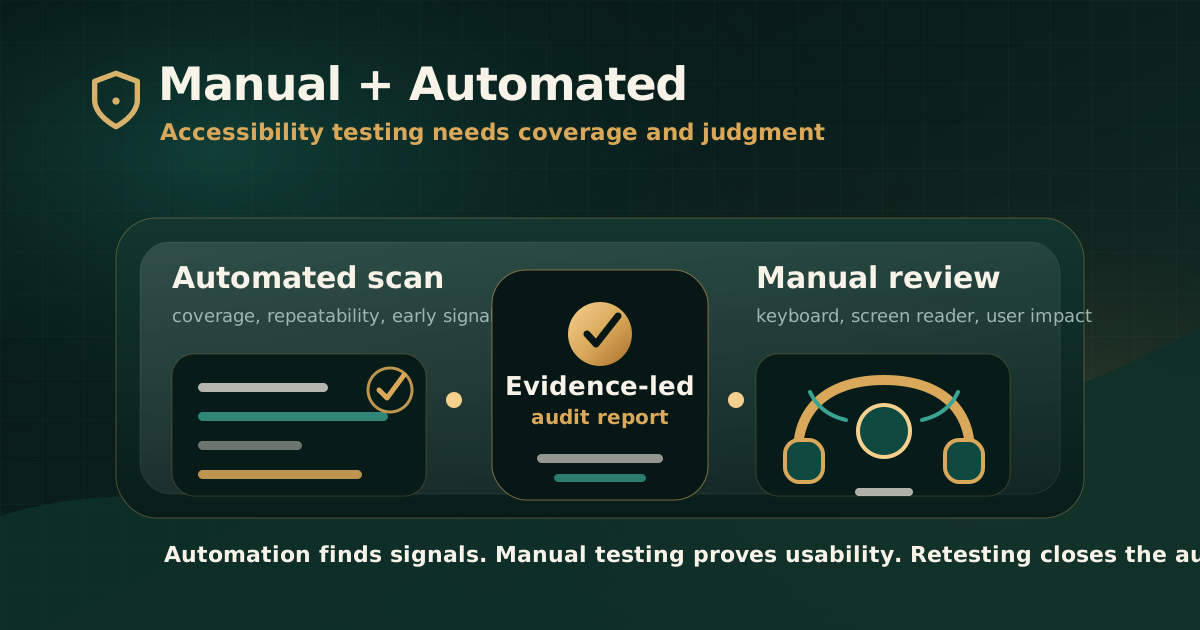
Manual testing and automated testing solve different problems. Automated testing gives speed and repeatability. Manual testing gives judgment, context, evidence, and user-impact analysis. A defensible audit needs both.
What automated accessibility testing is good at
Automated tools are software programs or services that help determine whether web content meets accessibility guidelines. They are valuable because they can run quickly, catch repeat failures, support development workflows, and flag issues before a formal audit begins.
For teams maintaining large websites or fast release cycles, automated testing should be part of the quality workflow. It helps reduce obvious defects before auditors spend time on deeper review.
- Finding some missing accessible names, labels, headings, language attributes, and ARIA issues.
- Flagging many colour contrast and markup problems that tools can calculate reliably.
- Scanning templates, components, and repeated page patterns at scale.
- Supporting regression checks in development, QA, and release workflows.
- Giving teams an early signal before a manual audit or retest.
Where automated scans fall short
Automated tests usually check specific rules or failure patterns. Passing those checks does not mean the page satisfies every relevant WCAG success criterion, and it does not mean a user can complete a task independently.
W3C ACT guidance explains this limitation clearly: many rules check only specific aspects of a success criterion, so further verification by human testers is often required. That is why a scan score should never be treated as a full audit conclusion.
- They cannot reliably decide whether alternative text is meaningful in context.
- They cannot prove that focus order supports the intended task.
- They cannot fully evaluate screen reader experience, keyboard-only completion, or error recovery.
- They cannot judge whether headings, instructions, link text, and labels are understandable for real users.
- They often miss issues inside PDFs, authenticated journeys, complex widgets, mobile app flows, and dynamic states.
What manual accessibility testing adds
Manual accessibility testing adds expert judgment. The tester evaluates whether the interface can be perceived, operated, understood, and used with assistive technology in realistic conditions.
A manual review should not be informal opinion. It should be standards-mapped, evidence-led, reproducible, and practical for remediation teams.
- Keyboard navigation, focus order, focus visibility, and keyboard traps.
- Screen reader names, roles, states, announcements, and reading order.
- Form labels, instructions, validation, error messages, and recovery paths.
- Modal dialogs, menus, accordions, tabs, carousels, date pickers, and custom controls.
- Meaningful alt text, link purpose, heading structure, landmarks, captions, and media alternatives.
- Real user journeys such as sign-in, checkout, payment, application, account management, and document download.
How WCAG evaluation should be structured
W3C describes conformance evaluation as determining how well pages or applications meet accessibility standards. WCAG-EM provides a structured approach for website evaluation, including defining scope, exploring assets, selecting a representative sample, evaluating the sample, and reporting findings.
That structure matters because accessibility risk is not evenly distributed. A small login flow, payment screen, PDF form, or account dashboard can carry more risk than a large set of static pages.
- Define the standard, version, and conformance target.
- Identify pages, components, documents, roles, devices, and journeys in scope.
- Use automated tools to find repeatable failures and support coverage.
- Use manual testing for user-impact, assistive technology, keyboard, and workflow validation.
- Document evidence, severity, remediation guidance, and retest results.
What audit buyers should ask for
Buyers should avoid vague promises such as accessibility checked or scan passed. A useful accessibility audit proposal should explain what will be tested automatically, what will be reviewed manually, which assistive technologies are in scope, and what evidence will appear in the report.
The report should help both governance and delivery teams. Leadership needs risk clarity. Product, design, engineering, QA, and content teams need findings they can reproduce and fix.
- Which automated tools will be used and what their role is.
- Which journeys, pages, documents, apps, and components will receive manual review.
- Which browsers, devices, keyboards, and assistive technologies are included.
- How findings will be mapped to WCAG, GIGW, IS 17802, Section 508, EN 301 549, or the relevant standard.
- Whether the deliverable includes screenshots, reproduction steps, user impact, severity, remediation guidance, and retest notes.
Common mistakes when teams rely only on scans
The biggest mistake is using a tool result as a proxy for user access. A low scan count does not prove that a person can complete the journey. A high scan count does not always identify the most severe user barrier either.
The second mistake is running tools too late. Automated testing is strongest when it is built into development and QA workflows, not used only after the product is ready for compliance review.
- Treating a scan score as an accessibility certificate.
- Ignoring authenticated workflows, dynamic states, documents, and mobile behavior.
- Closing issues without manual retesting.
- Writing tickets without user impact, affected component, expected behavior, or standard mapping.
- Testing only individual pages instead of complete service journeys.
What a balanced testing workflow looks like
A balanced workflow uses automation early and often, then adds manual review where judgment and user context matter. This keeps the process efficient without weakening the evidence trail.
For compliance-sensitive teams, the strongest model is automation for coverage, manual review for confidence, and retesting for closure.
- Run automated checks during design-system, development, QA, and pre-release work.
- Review high-risk journeys manually before launch or external submission.
- Test with keyboard and assistive technology for meaningful workflows.
- Document every serious issue with evidence and remediation direction.
- Retest resolved issues and keep closure evidence in the report trail.
Practical recommendation
If you are buying an accessibility audit, do not choose between manual and automated testing. Ask how both will be used. Automation should reduce noise and catch repeatable issues. Manual testing should confirm whether people can actually use the product.
A serious audit is not a screenshot of tool output. It is a standards-mapped evidence record that explains barriers, prioritizes risk, guides remediation, and verifies closure.
Official references used
W3C Evaluating Web Accessibility Overview: https://www.w3.org/WAI/test-evaluate/
W3C WCAG-EM Overview: https://www.w3.org/WAI/test-evaluate/conformance/wcag-em/
W3C Web Accessibility Evaluation Tools List: https://www.w3.org/WAI/test-evaluate/tools/list/
W3C Easy Checks: https://www.w3.org/WAI/test-evaluate/easy-checks/
W3C WCAG 2 Overview: https://www.w3.org/WAI/standards-guidelines/wcag/
W3C ACT Rules guidance: https://w3c.github.io/wcag-act/understanding-act-rules.html