
Buyer Guidance
How to Choose an Accessibility Audit Partner
A practical guide for organizations choosing an accessibility audit partner, covering methodology, scope, manual testing, evidence quality, remediation support, and retesting.
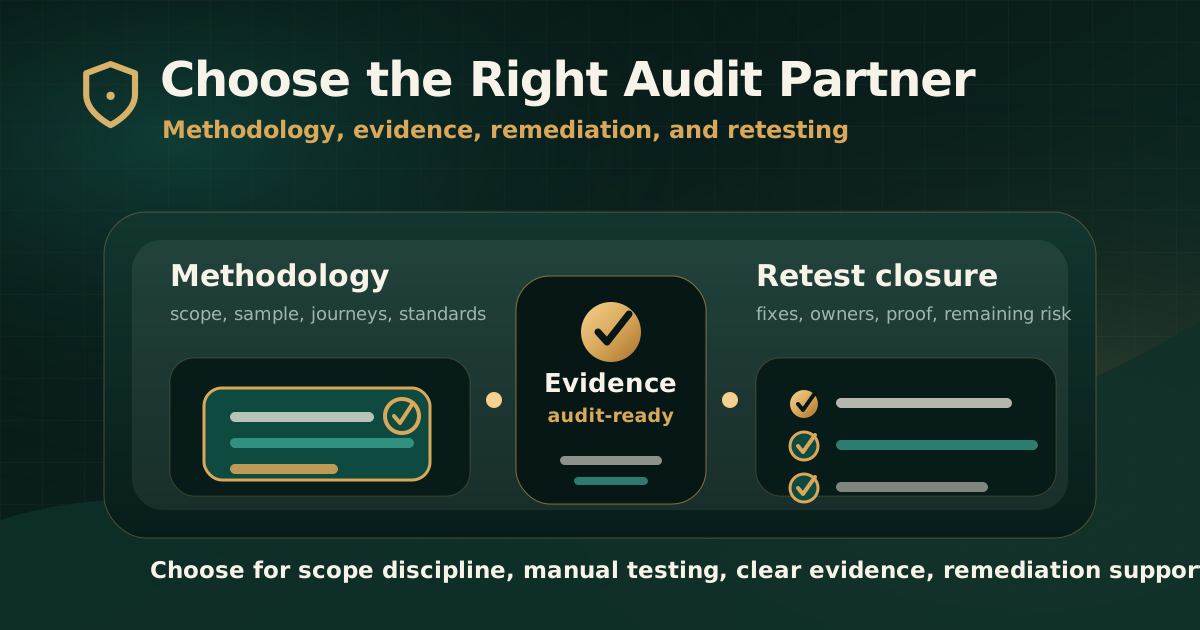
Quick answer: how should you choose an accessibility audit partner?
Choose an accessibility audit partner by evaluating the quality of their methodology, scope discipline, manual testing approach, evidence standards, remediation guidance, and retesting process. A good partner should help you understand risk, not only deliver a scan report.
The best audit partner for your organization is the one that can test the digital journeys that matter, explain findings clearly, map issues to standards such as WCAG, and give delivery teams practical guidance to fix and verify barriers.
Why the audit partner matters
W3C explains that evaluation tools help with accessibility evaluation, but no tool alone can determine whether a site meets accessibility standards. Knowledgeable human evaluation is required. That distinction is central when choosing an audit partner.
A weak audit may look inexpensive, but it can create rework if it misses critical journeys, gives vague findings, omits assistive technology checks, or provides no retest path. A strong audit gives leadership a risk view and gives delivery teams issues they can reproduce, prioritize, fix, and close.
- The partner should understand both compliance expectations and implementation reality.
- The audit should cover real user journeys, not only a sample of static pages.
- Findings should include user impact, evidence, standard mapping, and remediation direction.
- Reports should support both governance review and product delivery.
- Retesting should verify that remediation removed the barrier.
Checklist area 1: scope before price
Before comparing vendors, define what needs to be audited. Price only makes sense after scope is clear. A five-page public website, a logged-in SaaS app, a fintech onboarding flow, a government portal, and a document-heavy compliance site require different audit depth.
A serious partner should ask questions before giving a final scope. If the partner quotes only by page count without understanding journeys, roles, documents, and standards, the proposal may be too shallow.
- Which websites, apps, PDFs, documents, workflows, and user roles are in scope?
- Are authenticated journeys, dashboards, forms, payments, support flows, or mobile states included?
- Which standards matter: WCAG 2.1 AA, WCAG 2.2 AA, GIGW, IS 17802, Section 508, EN 301 549, or a contract-specific requirement?
- Will the audit include keyboard testing, screen reader testing, mobile behavior, and document review?
- What is excluded, and what risk remains because of those exclusions?
Checklist area 2: methodology and sampling
A credible audit partner should be able to explain how they select pages, components, workflows, documents, assistive technologies, browsers, devices, and test data. WCAG-EM describes a structured approach to website conformance evaluation, including defining scope, exploring the target, selecting a representative sample, evaluating, and reporting.
Not every project needs a formal conformance claim, but every serious audit needs a transparent method. Without methodology, it is hard to defend why the audit covered some areas and not others.
- The methodology should define scope, sample selection, standards, tools, manual checks, and reporting format.
- The sample should include templates, components, documents, high-risk journeys, and dynamic states.
- Automated testing should support coverage but not replace expert review.
- Manual checks should include keyboard operation, focus order, visible focus, screen reader behavior, forms, and error recovery.
- The report should identify assumptions, limitations, and exclusions.
Checklist area 3: manual testing and assistive technology
Ask how the partner uses manual testing and assistive technology. Automated scans can detect some issues, but they cannot fully judge whether users can complete a workflow or understand a screen reader experience.
The audit partner should be able to test practical conditions such as keyboard-only navigation, screen reader output, focus management, custom components, modal behavior, form validation, dynamic updates, and document reading order.
- Which keyboard and assistive technology checks are included?
- Which browser, device, and operating system combinations are used?
- How are screen reader observations documented?
- Are mobile and responsive states tested when relevant?
- Are third-party widgets, embedded content, and documents reviewed when they affect the journey?
Checklist area 4: report quality
The report is the product your teams will use after the audit. A weak report lists failures. A useful report explains what failed, who is affected, why it matters, how to reproduce it, which standard it maps to, and what should change.
Report quality is often the difference between a useful audit and a compliance artifact that sits unused.
- Executive summary for leadership and compliance teams.
- Detailed issue inventory for product, design, engineering, QA, content, and document teams.
- Severity model based on user impact, task criticality, and remediation urgency.
- Screenshots, recordings, URLs, selectors, reproduction steps, or document references where useful.
- Mapped WCAG success criteria or applicable standard references.
- Clear remediation guidance and expected accessible behavior.
Checklist area 5: remediation support
Accessibility audits are most valuable when findings move into remediation. The partner does not need to rewrite your entire product, but they should explain the expected outcome and help teams avoid common implementation mistakes.
A strong partner can discuss native HTML, ARIA use, focus management, document structure, design-system patterns, form errors, media alternatives, and retesting expectations in practical terms.
- Do findings include enough detail for engineering tickets?
- Can the partner clarify issues during remediation?
- Does guidance distinguish design, engineering, content, document, and vendor-owned issues?
- Are reusable component issues identified so teams can fix problems at source?
- Does the partner avoid broad compliance claims when the scope supports only limited review?
Checklist area 6: retesting and closure evidence
A partner should explain how retesting works before the audit starts. Retesting confirms whether the remediation removed the barrier, whether the fix introduced regressions, and whether closure evidence is strong enough for governance review.
Without retesting, the audit cycle remains incomplete. Teams may mark tickets as done without proving that users can complete the journey.
- Retest scope, number of rounds, timing, and dependencies are defined upfront.
- Retest findings connect back to original issue IDs.
- Closure status distinguishes fixed, partially fixed, not fixed, deferred, and out of scope.
- Evidence includes screenshots, recordings, notes, URLs, document versions, or assistive technology observations where relevant.
- The final report documents remaining risk clearly.
Red flags when choosing a partner
Some proposals sound confident but do not provide enough substance. Be cautious when an audit partner cannot explain their method, does not ask about scope, promises broad compliance guarantees, or relies only on automated output.
A serious partner will be precise about what they can test, what they cannot test, and what evidence the report will support.
- Scan-only deliverables presented as full accessibility audits.
- No explanation of manual testing, assistive technology checks, or sampling method.
- No clear report structure or sample evidence.
- No retesting option or closure workflow.
- Broad certification-style language without scope boundaries.
- No discussion of documents, authenticated journeys, mobile states, or third-party components when they are part of the product.
Questions to ask before selecting an audit partner
Use a short buyer checklist before finalizing a partner. The answers should show whether the vendor can support your compliance, product, and remediation needs.
The goal is not to ask more questions for the sake of process. The goal is to prevent vague scope and weak deliverables.
- What standards and versions will the audit use?
- Which journeys, roles, documents, browsers, devices, and assistive technologies will be tested?
- How will automated tools and manual review be combined?
- What evidence appears in each finding?
- How are severity and priority decided?
- What remediation support is included after report delivery?
- How does retesting work, and what closure evidence is provided?
Practical recommendation
Choose the partner who can make the audit useful after the report is delivered. That means clear scope, real manual testing, assistive technology context, standards mapping, practical remediation guidance, and retest evidence.
The cheapest audit is not always the lowest-cost option if it misses important barriers or creates remediation ambiguity. A serious accessibility audit should help your organization understand risk, fix issues, and prove closure.
Official references used
W3C Evaluating Web Accessibility Overview: https://www.w3.org/WAI/test-evaluate/
W3C WCAG-EM Overview: https://www.w3.org/WAI/test-evaluate/conformance/wcag-em/
W3C WCAG Overview: https://www.w3.org/WAI/standards-guidelines/wcag/
W3C Web Accessibility Evaluation Tools List: https://www.w3.org/WAI/test-evaluate/tools/list/
W3C Using Combined Expertise to Evaluate Web Accessibility: https://www.w3.org/WAI/test-evaluate/combined-expertise/
W3C Involving Users in Evaluating Web Accessibility: https://www.w3.org/WAI/test-evaluate/involving-users/